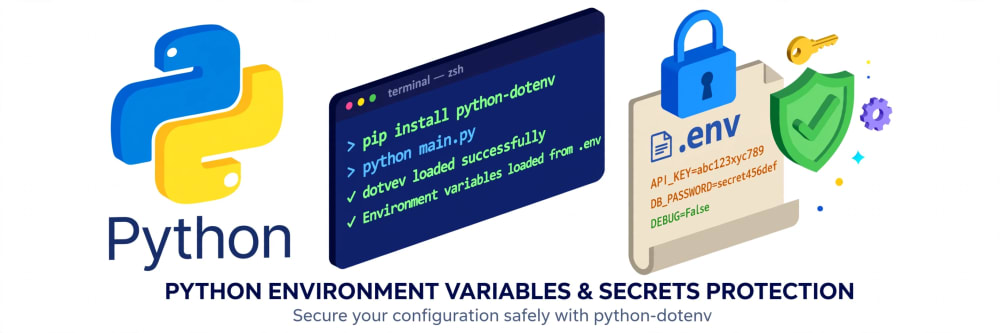
How to Hide Your API Keys in Python Using .env Files (For Absolute Beginners)
Stop putting secrets in your code. Learn how to use python-dotenv and .env files to manage API keys and configs securely.

August 20, 2026
Think of your code like your house. You wouldn't tape your house key to the front door for everyone to see. An .env file is like a small safe inside your house where you keep all your keys. Python opens the safe when it needs a key.
Before we start
You need:
- Python installed
- The venv you created in Tutorial 1
Step 0: Create your project folder
If you followed Tutorial 1, you already have this:
my_first_project/
  └── venv/
If not, just do:
mkdir my_first_project
cd my_first_project
python -m venv venv
Activate it:
Mac/Linux: source venv/bin/activate
Windows: venv\Scripts\activate
Step 1: Install the tool that reads the safe
We need one tiny package called python-dotenv. It does only one job: read your .env file.
pip install python-dotenv
Step 2: Create your secret safe (the .env file)
In your my_first_project folder, create a new file and name it exactly .env, nothing before the dot.
Inside it, write your secrets like this:
API_KEY=my_first_fake_key_123
MY_NAME=Sunday
DEBUG=True
That's it. No quotes, no = spaces, just NAME=VALUE. This file is just for you, on your computer only.
Step 3: Tell Git to ignore it (Super important)
This is where beginners get hacked. If you push .env to GitHub, everyone sees your keys.
Create a file called .gitignore in the same folder and paste this:
.env
venv/
Now Git will pretend .env doesn't exist.
Step 4: Create your Python file
Create main.py and write this:
# main.py

# 1. We need these two tools
import os
from dotenv import load_dotenv

# 2. This line says "Hey python, open the safe (.env) and load everything inside"
load_dotenv()

# 3. Now we can get our secrets safely
api_key = os.getenv("API_KEY")
my_name = os.getenv("MY_NAME")

print(f"Hello {my_name}!")
print(f"Your secret key is: {api_key}")
print("See? We never wrote the key directly in the code.")
Step 5: Run it
python main.py
You should see:
Hello Sunday!
Your secret key is: my_first_fake_key_123
It works! Your code is clean, your secret is safe.
3 Mistakes Beginners Always Make
-
I named it env.txt
It must be exactly .env with a dot in front, no .txt -
I get None when I print
You probably forgot load_dotenv() or you are not in the same folder as your .env file. -
My key is still on GitHub
You created .env after you pushed to GitHub. Delete the repo and create a new one, and always add .gitignore first.
Now try this: Create a variable called WEATHER_API_KEY in your .env and try to print it in Python. In the next tutorial, we'll use that key to get real weather data.
// Comments (0)
Log in or register to join the discussion.
// No comments yet. Start the conversation.